TypeScript 7.0 LSP Configuration
With the release of TypeScript 7.0 the TypeScript compiler includes a built-in language server.
IMPORTANT: This language server assumes Node.js has been installed on the machine. To test for this open the command prompt, run the
node -v command and check that the version number output is produced, something similar to this:
v22.13.0
If Node.js is not installed, download and install Node.js from
here.
Installing the Language Server
Run the following command to install the the latest version TypeScript:
npm install -g typescript
With the software installed check that installation by running
npx tsc --version at the command line prompt, which should result in the following output:
Version 7.0.2
If that output is not produced check the installation and also check to make sure the batch file installation folder has been added to the system PATH environment variable.
Configuration
Start Zeus and use the
Options, Document Types menu to edit the
TypeScript document type and in the
Language Server panel apply the following configuration settings:
Program Type: Batch
     Program: tsc.cmd
   Directory: $wdd
   Arguments: --lsp
              --stdio
The $wdd value used for the directory is a Zeus tag that will evaluate to the workspace drive and directory. This means the language server will start in that workspace folder if a workspace is open.
Using the Language Server
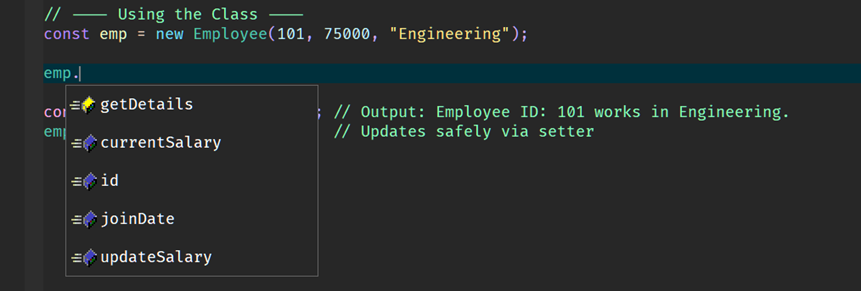
To test the configuration create a simple test.ts file and fire off an autocomplete request:
In addition to code completion, code navigation, function signatures and document hover will also work.
Shown below is an example of the functions signature feature.
Shown below is an example of the document hover feature.
The TypeScript language server can also work with a package.json project file but the language server needs to located that file. The easiest way to achieve
this is to create a Zeus workspace in that project folder location by using the Workspace, Open Folder menu and selecting that folder location. That then means
when the Zeus workspace is opened the $wdd tag will make sure the language server starts in that project location.