Directory of D:\Utilities\lean-4.32.0-windows

13/07/2026  09:04 PM    <DIR>          .
22/07/2026  01:56 PM    <DIR>          ..
13/07/2026  09:04 PM    <DIR>          bin
13/07/2026  09:04 PM    <DIR>          include
13/07/2026  09:04 PM    <DIR>          lib
13/07/2026  08:29 PM             9,231 LICENSE
13/07/2026  08:29 PM            83,431 LICENSES
13/07/2026  09:04 PM    <DIR>          share
13/07/2026  09:04 PM    <DIR>          src
The bin folder listed above will need to be added to the system PATH meaning the folder shown below needs to be added to that environment variable.
D:\Utilities\lean-4.32.0-windows\bin
Details on how to set the PATH can be found here.
Lake.exe --version at the command line prompt, which should result in the following output:
Lake version 5.0.0-src+8c9756b (Lean version 4.32.0)
Program Type: Executable
     Program: Lake.exe
   Directory:
   Arguments: serve
To start using the language server create a test Lean project as follows:
md c:\Projects\LeanTest
cd c:\Projects\LeanTest
lake init
Use the Zeus, Workspace, Open Folder menu and open the c:\Projects\LeanTest folder as a Zeus workspace.
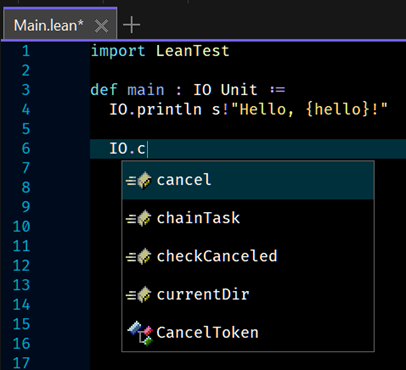
Main.lean file found in the workspace and fire off an autocomplete request as shown below:
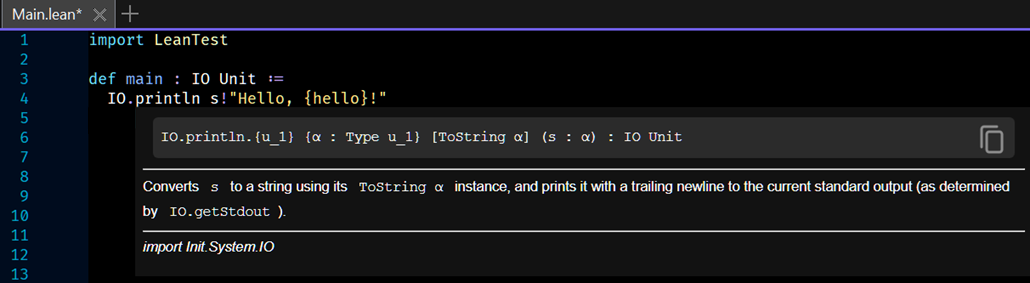
println function.